Chuckle
Download on the App StoreGet it on Google Play
Menu

Chuckle for Comics

Apps for Comedians Who Post Comedy Clips

A comedy-first place to put the bit in front of people who came ready to laugh.

Start with the material

Post the clip. Give it a stage.

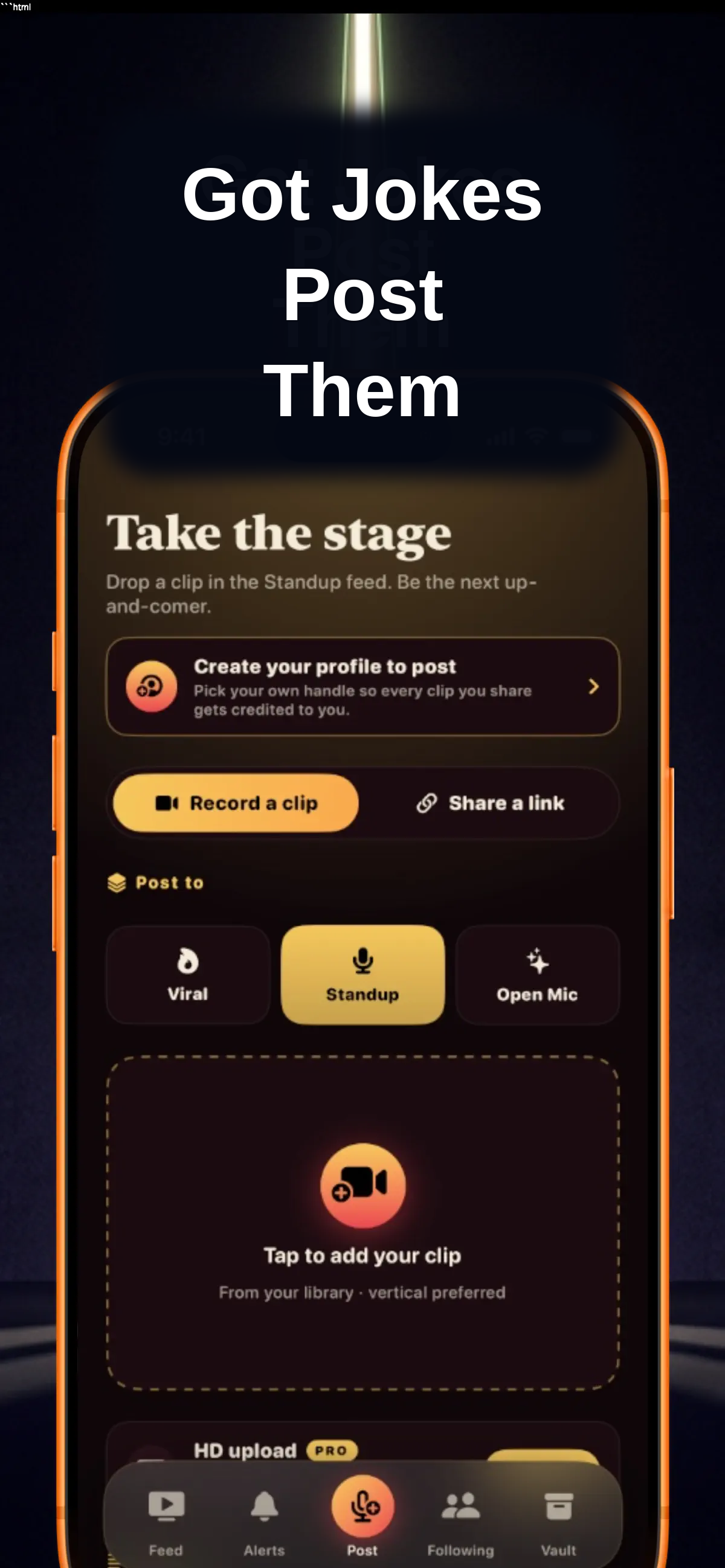
Chuckle is built for comedians who want a clear place to share short comedy video. Post a finished stand-up moment, a quick one-liner, a character, a crowd-work clip, or fresh material that is still taking shape. Add a title and caption, choose the feed that fits, and let the joke meet people who opened the app for comedy.

The point is not to turn every clip into a trailer. It is to make the first watch make sense. A little context can help a new viewer understand the premise, then your timing, writing, and point of view get room to do the work.

Download on the App StoreGet it on Google Play
Chuckle screen for posting a comedy clip with a title, caption, and feed choice

A better home for a good bit

Give the audience a reason to stay with your work.

A funny clip can earn a quick laugh anywhere. The harder part is giving the person who liked it a useful next step. Chuckle keeps your clips on a profile, so a viewer can move from one moment to more of your material instead of losing the comic behind it in a mixed feed.

That makes the app useful whether you have a single strong clip or a growing body of work. A polished set can sit beside a shorter moment. Newer material can lead someone back to a favorite bit. Each post has a place in the larger picture of what you do.

For the viewer, it stays simple: watch the clip, save the one that lands, and find the comic when they want more. For the comedian, that creates a more natural introduction than asking every post to do everything on its own.

Explore Chuckle as a comedian app
A stand-up microphone under warm stage lighting

Choose the right stage

Match the clip to the moment.

Different kinds of comedy need different context. Chuckle gives each one a clear place to land.

Standup for the finished bit.

Use Standup for the material built to hold a room: a polished story, a tight one-liner run, a finished set, or a punchline you want people to hear twice. The feed keeps the attention on the structure, delivery, and point of view that make the piece work.

A clear title can set up a story without explaining the turn away. When the joke lands, the profile gives the viewer a simple route to the next set instead of asking them to search for you somewhere else.

Open Mic for new material.

Not every useful clip needs to be final. Open Mic is for fresh premises, early versions of a story, and the moments where a comic is still learning what has legs. You can share the part that shows your voice now, then keep building on it as the work develops.

That lets new viewers discover a comic early and lets the material be seen in a place where experimentation makes sense. The clip can be honest about where it is without being buried under content that has nothing to do with comedy.

Viral for the fast laugh.

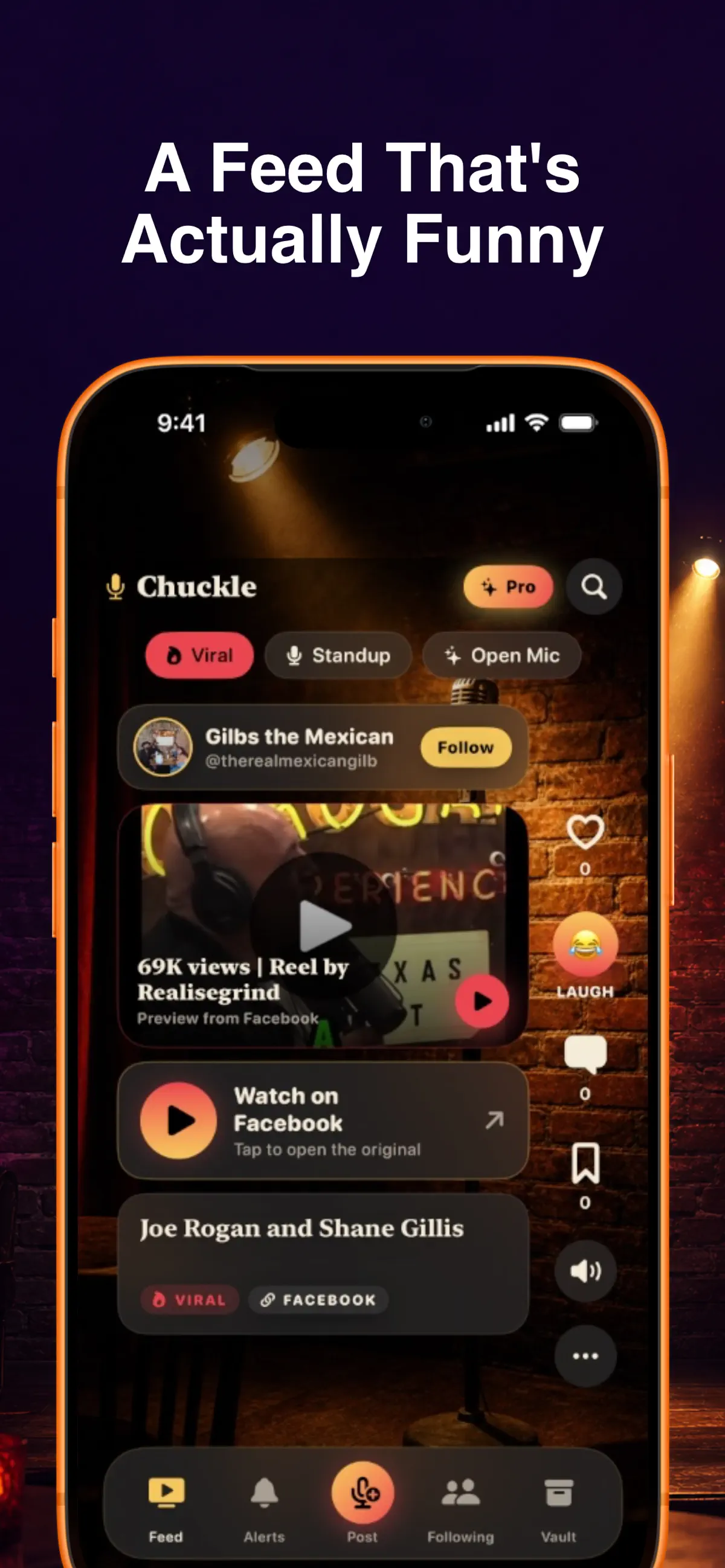
Some clips land because they get to the funny part immediately. A quick observation, reaction, or act-out can fit Viral when the moment is built to move fast. The feed gives that short laugh its own context, while your profile keeps the rest of the work close for anyone who wants another clip.

It is a useful way to let a small moment open a bigger door. The viewer gets the laugh they came for. You get a clearer chance to turn that first reaction into an introduction to your comedy.

Chuckle showing a comedy clip with viewer comments

Keep your work connected

One clip can lead to the next one.

Comedy is easier to remember when the performer is easy to find. Chuckle puts your clips on a profile, so the person who enjoys a joke can see more without waiting for the feed to show the same moment again. That is useful for a comic with a finished set, a run of short clips, or a mix of new and polished material.

Viewers can save clips to their Comedy Vault when they want to hear a bit again. They can move from a saved moment to your profile when they want more. Those small paths make a clip feel less disposable, while keeping the experience centered on the comedy instead of asking the viewer to leave and start over.

You still decide what represents you. Pick the material that shows your rhythm, your point of view, or the premise you want someone to remember. A short clip can be enough to make a first impression when it has the right setting and a clear route to the work behind it.

That also leaves room for the material to be different from post to post. A polished closer, a small observation, and an early version of a story do not need to be introduced the same way. Choose the clip that makes sense for the moment, give it only the context it needs, and let the comedy carry the rest.

See how posting works


Learn from the clips

Keep posting, then see what lands.

Chuckle starts with the material. Chuckle Pro gives comics an optional closer look at the response.

Post with a clear first step.

Choose the clip you want people to see, add the details that help it make sense, and select the feed that fits. The routine stays focused on the comedy: title, caption, channel, post. You do not need to overbuild the moment for it to give a new viewer a real sense of your work.

Over time, a profile can show more range. A person who finds a quick clip can see the longer set. Someone who likes a polished bit can find the newer material. The posts remain connected around your voice instead of being scattered across unrelated feeds.

That makes it easier to use the app alongside the rest of your work. A clip can introduce someone to your comedy here, then give them a focused profile to return to when you post again. The goal is not to replace the places you already share. It is to give comedy its own clear setting.

See the response behind the laugh.

Chuckle Pro includes the Green Room for comedians who want a closer read on their clips. It shows the laughs, comments, and shares around each post, along with the clip that landed hardest, the channel where your comedy connects most, and your running average.

Those details are there to help you notice patterns in work you are already making. They do not replace your instincts or the room. They give you another way to see which moments are finding people after you post.

Keep the audience close to comedy.

General video feeds can turn a comedy clip into one item between everything else. Chuckle keeps the experience focused on funny video, stand-up, and newer voices. That gives viewers a reason to keep watching and gives comedians a more relevant setting for being discovered.

The difference is straightforward: the audience did not arrive for a random scroll. They came for comedy. Your clip gets to meet them with that shared expectation already in place.

Frequently asked questions

What can comedians do on Chuckle?

Comedians can post a comedy clip, add a title and caption, choose Viral, Standup, or Open Mic, and keep their work together on a Chuckle profile.

Can I post a short clip instead of a full set?

Yes. Chuckle is built for short comedy video. You can post a tight stand-up moment, a quick act-out, a one-liner, or fresh material that is still finding its shape.

How do I choose a feed for my comedy clip?

Choose Standup for a polished set or finished bit, Open Mic for newer material, and Viral for a quick moment made to travel fast.

What does Chuckle Pro add for comedians?

Chuckle Pro adds the Green Room, where you can see laughs, comments, shares, your strongest channel, and your running average across clips.

Your next clip is ready

Open Chuckle.
Post the bit.

Download on the App StoreGet it on Google Play